 Loading... Please wait...
Categories
 New Products
-
 $4,200.00
-
 $5,250.00
-
 $4,550.00
-
 $3,150.00
-
 $4,200.00
Our Newsletter
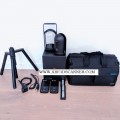
USED Leica BLK360


Product Description
Leica BLK360: The Ultimate 3D Laser Scanner
The Leica BLK360 is a remarkable 3D laser scanner that makes capturing the world around us easier and more fun. Imagine being able to create detailed 3D models of your favorite places, buildings, or even your own backyard! This amazing device is perfect for professionals, students, and anyone interested in exploring the fascinating world of 3D scanning.
The Leica BLK360 is a compact and lightweight laser scanner that can quickly and accurately capture 3D images of objects and spaces. It works by using lasers to measure distances and create a detailed point cloud, which is a collection of points that represent the scanned area. This technology allows users to create 3D models that can be used for various purposes, such as architecture, construction, and even virtual reality.
How Does It Work?
The BLK360 uses lasers to measure distances from the scanner to the objects around it. Here’s how it works in simple steps:
- Laser Emission: The scanner sends out thousands of laser beams in all directions.
- Distance Measurement: When a laser beam hits an object, it reflects back to the scanner. The BLK360 measures how long it takes for the laser to return, which helps it calculate the distance to the object.
- Point Cloud Creation: By repeating this process many times, the scanner creates a "point cloud," which is a 3D representation of the scanned area.
- Image Capture: The BLK360 also captures color images, adding realistic textures to the 3D model.
Why is the Leica BLK360 Special?
The Leica BLK360 stands out for several reasons:
-
Portability: It’s small and lightweight, making it easy to carry around. You can take it anywhere, whether it’s a construction site, a museum, or even your home.
-
Speed: The BLK360 can scan an entire room in just a few minutes. This means you can get your work done quickly and efficiently.
-
High Quality: It produces high-resolution scans with great detail. You can see even the smallest features in your 3D models.
-
User-Friendly: The scanner is designed to be easy to use, even for beginners. With its simple interface, you can start scanning right away without needing advanced training.
Applications of the Leica BLK360
The Leica BLK360 can be used in many different fields. Here are some exciting ways people use this technology:
1. Architecture and Construction
Architects and builders use the BLK360 to create accurate models of buildings and sites. This helps them visualize their projects and make better decisions. They can also use the scans to check if the construction is going according to plan.
2. Interior Design
Interior designers love the BLK360 because it allows them to capture the exact layout of a room. They can create 3D models to experiment with different furniture arrangements and color schemes before making any changes.
3. Heritage Preservation
The BLK360 is an excellent tool for preserving historical sites and artifacts. By creating detailed 3D scans, historians and archaeologists can document and study these important pieces of history without causing any damage.
4. Virtual Reality and Gaming
In the world of virtual reality and gaming, the BLK360 helps developers create realistic environments. They can scan real-world locations and turn them into immersive experiences for players.
5. Forensic Analysis
Law enforcement agencies use the BLK360 to document crime scenes accurately. The detailed scans provide crucial evidence that can be used in investigations and court cases.
How to Use the Leica BLK360
Using the BLK360 is straightforward. Here’s a step-by-step guide to help you get started:
Step 1: Set Up the Scanner
- Choose a Location: Find a spot where you want to scan. Make sure the area is well-lit and free of obstacles.
- Power On: Turn on the BLK360 by pressing the power button. Wait for it to initialize.
Step 2: Start Scanning
- Connect to Your Device: Use a tablet or smartphone to connect to the BLK360 via Wi-Fi. This allows you to control the scanner remotely.
- Select Scan Settings: Choose the settings you want, such as the scan resolution and the number of scans.
- Begin Scanning: Press the start button on your device. The scanner will begin capturing data.
Step 3: Move to Different Locations
- Change Positions: After the first scan is complete, move the BLK360 to a new location to capture more data.
- Overlap Scans: Make sure to overlap your scans slightly to ensure that all areas are covered.
Step 4: Process the Data
- Upload to Software: Once you’ve finished scanning, upload the data to your computer using the Leica software.
- Create 3D Models: Use the software to process the point clouds and create detailed 3D models.
Step 5: Share Your Work
- Export Models: You can export your 3D models in various formats to share with others or use in different applications.
- Present Your Findings: Show your models to friends, family, or colleagues. You can even create virtual tours of the scanned locations!
Benefits of Using the Leica BLK360
Using the Leica BLK360 comes with numerous benefits:
1. Accuracy
The BLK360 provides highly accurate measurements, ensuring that your 3D models are precise and reliable.
2. Efficiency
With its fast scanning capabilities, you can complete projects more quickly, saving time and effort.
3. Versatility
Whether you’re an architect, designer, or hobbyist, the BLK360 can be used for a variety of applications, making it a valuable tool for anyone interested in 3D scanning.
4. Enhanced Collaboration
The ability to share 3D models easily helps teams collaborate more effectively. Everyone can view and discuss the same models, leading to better decision-making.
5. Educational Opportunities
For students and educators, the BLK360 opens up new possibilities for learning about technology, design, and engineering. It’s a fun way to explore the world of 3D modeling!
Conclusion
The Leica BLK360 is an incredible 3D laser scanner that brings the world of 3D modeling to life. Its portability, speed, and ease of use make it an ideal choice for professionals and enthusiasts alike. Whether you’re capturing the beauty of a historical site, designing a new building, or creating a virtual reality environment, the BLK360 is the perfect tool to help you achieve your goals.
With its advanced technology and user-friendly design, the Leica BLK360 is not just a scanner; it’s a gateway to endless possibilities in the world of 3D exploration. So, grab your BLK360 and start scanning your world today!
Warranty Information
Find Similar Products by Category

Customers Who Viewed This Product Also Viewed


Add to Wish List
Related Products
-
 USED Leica BLK360 Cyclone REGISTER 360 $3,300.00
-
 USED Leica Scanstation P16 HDS 3D $4,750.00
-
 USED Leica Scanstation P30 HDC 3D $3,250.00
-
-
 BRAND NEW Leica BLK360 $4,760.00